
If you need to rotate IP for crypto multi-accounting, you've probably already learned the hard way what happens when you don't. Maybe you ran 15 wallets through the same residential proxy, or you forgot to switch IPs between Binance account logins, and now you're staring at a sybil-flagged address list or a permanently suspended CEX account. This guide covers exactly how IP rotation works in a crypto context, why most proxy types fail, and how 4G mobile proxies solve the problem that rekt so many farmers during the LayerZero and zkSync distributions. By the end, you'll know:
- Why IP rotation matters differently for CEX accounts versus airdrop wallets
- How CGNAT makes mobile IPs inherently trusted by anti-sybil systems
- The correct rotation timing to avoid wallet clustering
- How to pair IP rotation with anti-detect browsers for full isolation
Why IP Rotation Matters in Crypto
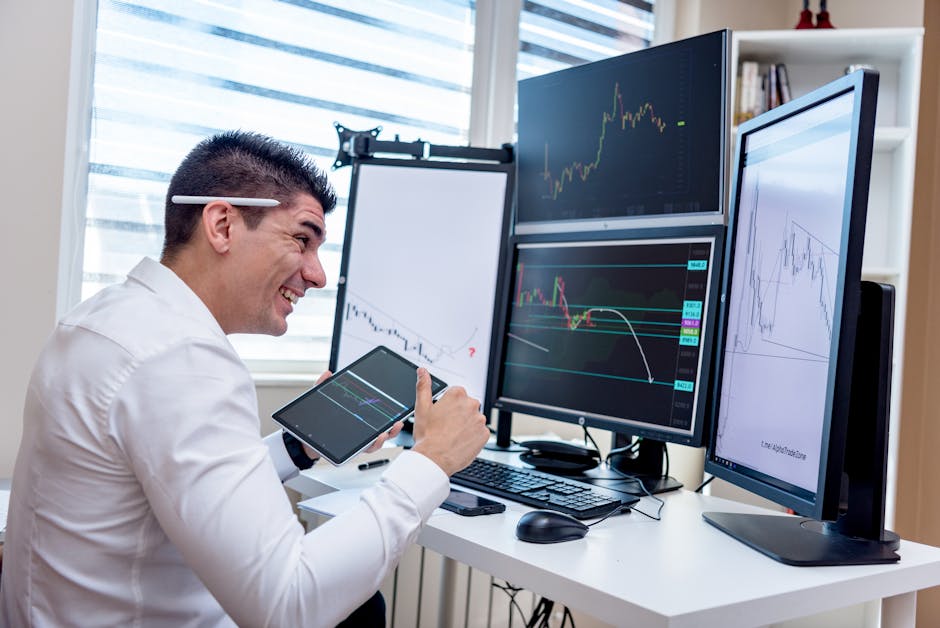
Your IP address is the first data point every platform logs when you connect. For a CEX like Binance or OKX, it's cross-referenced against your KYC documents, device fingerprint, and account history. For an airdrop protocol, it gets fed into off-chain snapshot data that Nansen or Chaos Labs later analyze for wallet clustering patterns. A single IP shared across multiple wallets or accounts is essentially a signed confession.
The stakes are different depending on the use case. On centralized exchanges, a shared IP between two accounts can trigger an automated ban on both, with funds locked pending a review you'll probably lose. On airdrop protocols, the damage is quieter but often permanent. Your wallets get flagged in the sybil filter, excluded from the distribution, and sometimes published in a public list. We saw this happen at scale during the LayerZero sybil purge in 2024, when hundreds of thousands of addresses were disqualified based partly on shared IP signals collected by third-party analytics firms.
So the goal isn't just to "use a proxy." The goal is to make each wallet or account look like it belongs to a genuinely separate human user, operating from a separate device, on a separate network. That's what proper rotate IP crypto strategy actually means.
Key takeaway: IP isolation isn't optional for serious multi-wallet farming. It's the foundation everything else builds on.
How Anti-Sybil Systems Detect Shared IPs
Modern anti-sybil detection isn't just checking whether two wallets share an IP. Systems like Chaos Labs, Gitcoin Passport, and custom protocol-side filters are more sophisticated than that now. Here's what they actually look at:
- IP overlap across wallet activity windows: If wallets A and B both sent transactions from the same IP within a 72-hour window, that's a clustering signal.
- IP ASN and datacenter classification: Proxies running on AWS, Hetzner, or DigitalOcean resolve to commercial ASNs. Any wallet activity originating from a datacenter IP gets scored negatively by default.
- IP type scoring: Residential IPs score better than datacenter IPs. Mobile IPs score better than residential. CGNAT mobile IPs score best because they're shared by thousands of real carrier subscribers.
- Velocity patterns: Rotating to a new IP every 30 seconds across 50 wallet actions looks robotic. Human users don't do that.
- RPC endpoint leaks: If your MetaMask is hitting a public RPC like Infura without a proxy, your real IP is being logged at the node level even if your browser traffic is proxied. Always proxy your RPC calls too.
Arkham Intelligence and Chainalysis can link wallets through on-chain behavior as well, but IP data collected during protocol interactions is the off-chain signal that most teams use first because it's cheapest to analyze. Fix the IP problem before you optimize on-chain patterns.
Proxy Types Compared for Crypto Use
Not all proxies behave the same way under anti-sybil scrutiny. Here's a direct comparison based on what actually matters for airdrop farming and CEX multi-accounting:
Datacenter Proxies
Fast and cheap. Also the worst option for crypto. Datacenter IPs resolve to commercial hosting ASNs. Binance flags them. Galxe flags them. Most airdrop protocols flag them. You'll burn through accounts faster than you generate them. Don't use datacenter proxies for anything that involves wallet activity or exchange accounts.
Residential Proxies
Better than datacenter, but with serious problems. Most residential proxy pools source IPs from consent-questionable software bundles or compromised home routers. The IPs rotate from a shared pool that thousands of other proxy users are also hammering. Protocols that track IP reputation see these addresses lighting up across hundreds of sybil attempts and score them accordingly. Also, residential proxies charge per GB, which adds up fast when you're bridging across multiple L2s.
4G Mobile Proxies
This is the only type worth using for serious multi-accounting. A real LTE modem with a physical carrier SIM produces an IP that sits behind CGNAT, the same infrastructure your phone uses right now. When you rotate IP crypto operations through a 4G proxy, each new IP you receive has been used by thousands of legitimate mobile subscribers on that carrier. Anti-sybil systems can't flag it as a proxy without flagging half the carrier's customer base. That's the inherent protection mobile IPs provide.
For airdrop farming specifically, this distinction is the difference between making it through the sybil filter and losing months of testnet work.
How 4G Mobile Proxies Rotate IP for Crypto
Understanding the mechanics of mobile IP rotation helps you use it correctly. Here's what actually happens when you trigger a rotation on a 4G proxy port.
The proxy server is connected to a physical LTE modem with a real carrier SIM, running on EU mobile networks. When you trigger a rotation, either through an API call or the dashboard, the modem disconnects from the carrier network and reconnects. The carrier assigns a new IP address from its CGNAT pool. That pool on a major EU carrier contains 50,000 or more addresses shared across its subscriber base. You get one of those addresses, indistinguishable from a real phone user's connection.
Rotation Methods
- Manual rotation via dashboard: Log in, click rotate. Takes 2 seconds. Best when you're manually switching between wallet profiles.
- API rotation: Hit the rotation endpoint from your script. Lets you automate the switch between wallet actions without touching the dashboard.
- Auto-rotation: Configure the proxy to rotate on a fixed interval. Useful for long farming sessions, but set the interval long enough to look human (minimum 10-15 minutes per wallet session).
CryptoProxy's infrastructure runs real LTE modems with EU carrier SIMs. When we tested IP rotation timing across 50 wallet profiles during Berachain testnet farming, the 2-second rotation window was fast enough to switch IPs between wallet sessions without introducing meaningful delays into the workflow.
For testnet farming, where you might be executing faucet claims and testnet transactions across dozens of wallets in a single session, API-triggered rotation after each wallet batch is the most efficient approach.
Both SOCKS5 and HTTP protocols are supported. Use SOCKS5 when connecting through GoLogin or Multilogin, since it handles all traffic types including WebSocket connections that some DeFi frontends rely on.
Rotation Timing and Wallet Isolation
Rotating IPs is necessary but not sufficient on its own. The timing and isolation discipline around each rotation is what separates successful multi-accounting from getting clustered anyway.
The Timing Problem
If you rotate your IP and then immediately fire off 10 transactions from 10 different wallets in the next 5 minutes, the rapid sequential activity still looks like a bot, even if each transaction came from a different IP. Anti-sybil analysis looks at velocity across the entire address set, not just IP overlap. Space your wallet sessions out. Run wallet A for 15 minutes, rotate, wait 2-3 minutes, run wallet B. That gap matters.
One Wallet, One Profile, One IP Session
Never load multiple wallets in the same browser session, even if you've rotated the IP. Each browser profile needs its own isolated environment: separate anti-detect profile, separate proxy session, separate MetaMask or Rabby instance. Cross-contamination at the browser fingerprint level will get you clustered even with clean IPs.
Wallet Session Checklist
- Open a fresh anti-detect browser profile (GoLogin, AdsPower, or Dolphin Anty)
- Assign the proxy port to this profile only
- Verify your IP and DNS are clean at the IP check tool before any wallet interaction
- Complete all activity for wallet A in this session
- Close the browser profile completely
- Rotate the proxy IP via API or dashboard
- Wait 2-3 minutes before opening the next profile
- Repeat for wallet B
Key takeaway: IP rotation and browser profile isolation work together. Neither is sufficient without the other.
For CEX multi-accounting, the discipline is even stricter. Never log into two exchange accounts from the same proxy session, and never reuse a proxy port across multiple accounts without a full rotation in between.
Pairing IP Rotation With Anti-Detect Browsers
An IP is just one signal. Browser fingerprinting captures canvas hash, WebGL renderer, AudioContext signature, installed fonts, screen resolution, timezone, and dozens of other parameters. Two profiles with different IPs but identical fingerprints will still get linked. This is why pairing your rotate IP crypto strategy with an anti-detect browser is non-negotiable for serious multi-accounting.
GoLogin and Multilogin
Both GoLogin and Multilogin let you create browser profiles with fully spoofed fingerprints. Each profile gets a unique canvas hash, WebGL signature, user agent, and system font set. Assign one proxy port per profile. CryptoProxy ports work natively with both, entering the SOCKS5 host and port directly in the proxy settings for each profile.
AdsPower and Dolphin Anty
AdsPower is popular among larger farming operations because its bulk profile creation tools scale well. Dolphin Anty is more degen-friendly, with a simpler interface and direct MetaMask integration. Both support SOCKS5 proxy assignment per profile.
Configuration That Actually Works
When we set up farming profiles for Scroll and Linea testnet campaigns, the configuration that held up through multiple sybil filter passes was: one Dolphin Anty profile per wallet, one CryptoProxy port per profile, SOCKS5 protocol, fingerprint randomized on profile creation, and timezone set to match the proxy's EU carrier region. That last detail matters. A profile with a German carrier IP but a UTC+8 timezone is a red flag.
Also check for DNS leaks. Your proxy should be routing DNS queries through the carrier network, not leaking your real resolver. Run the DNS leak test on each new profile setup to confirm.
For Galxe and Zealy quest farming, the fingerprint isolation matters as much as the IP. Quest platforms track browser fingerprints directly and link accounts that share canvas hashes even when IPs differ.

What You Actually Need to Run This Right
To rotate IP for crypto multi-accounting without getting sybil-flagged or exchange-banned, three things need to work together: real mobile carrier IPs that CGNAT protects from proxy detection, proper rotation timing that mimics human session behavior, and browser fingerprint isolation that prevents cross-profile linking. Skimping on any one of them undermines the other two.
The LayerZero sybil list was a hard lesson for a lot of farmers who had the on-chain behavior right but left IP clustering as an afterthought. Don't let that be you on the next major retroactive drop, whether that's from Monad, Berachain's next phase, or whatever L2 is farming right now.
CryptoProxy runs dedicated 4G LTE modems on EU carrier SIMs with 2-second API rotation, unlimited bandwidth, and flat daily pricing starting at $11. No KYC, no GB limits, and you can pay with BTC, ETH, USDT, or 300+ other cryptocurrencies. Check current plans and start your free 1-hour trial at CryptoProxy.net before your next farming session goes live.